
<?xml version="1.0" encoding="iso-8859-1"?>
<!DOCTYPE html PUBLIC "-//W3C//DTD XHTML 1.1 Strict//EN" "http://www.w3.org/TR/xhtml1/DTD/xhtml1-transitional.dtd">
<html xmlns="http://www.w3.org/1999/xhtml" xml:lang="en" lang="en">
	<head>
		<meta http-equiv="Content-Type" content="text/html; charset=ISO-8859-1"/>
		<title>DHTML Tab,JavaScript Tab</title>

		<style type="text/css">
			#tabs {display: block;float: left;width: 160px;}
			.panel {border: solid 1px #D8D8D8;border-top: none;background-color: #FFFFFF;padding: 0px;width: 158px;overflow: auto;clear: left;}
			.tab_bdr{padding: 0px;width: 158px;border: 0px;border: 1px solid #645DB5;height: 4px;margin:0px;background: #645DB5;clear: left;font-size: 0px;}
			.tab{font-family:tahoma; FONT-SIZE: 11px;background:#BA0808;color:#FFFFFF;cursor:pointer;border:none;border-bottom: 1px solid #FFFFFF;height:19px;padding-top:3px;margin:0px;width:60px; float:left; text-decoration:none;}
			.tab_sel{font-family:tahoma; FONT-SIZE: 11px;background:#645DB5;color:#FFFFFF;cursor:pointer;border:none;border-bottom:1px solid #645DB5;height:19px;padding-top:3px;margin:0px;width:60px; float:left; text-decoration:none;}
		</style>

		<script language="JavaScript" type="text/javascript">
			var panels = new Array('panel1', 'panel2'); // IDs of the content panels must be put here
			var tabs = new Array('tab1', 'tab2'); // IDs of the tabs must be put here
			function displayPanel(nval){
				for(i = 0; i < panels.length; i++)
				{
					document.getElementById(panels[i]).style.display = (nval-1 == i) ? 'block':'none';
					document.getElementById(tabs[i]).className=(nval-1 == i) ? 'tab_sel':'tab';
				}
			}
		</script>
	</head>
	<body>
		<div id="tabs">
			<div id="tab1" class="tab_sel" align="center" onClick="javascript: displayPanel('1');">Tab?1</div>
			<div id="tab2" class="tab" style="margin-left:1px;" align="center" onClick="javascript: displayPanel('2');">Tab?2</div>
		</div>
		<div class="tab_bdr"></div> <!-- This is the div used to show a thick border below the tab and above the panel-->
		<div class="panel" id="panel1" style="display: block">1</div> <!-- The display panels for the respective tabs can be put here -->
		<div class="panel" id="panel2" style="display: none">2</div>
	</body>
</html>
Terimakasih
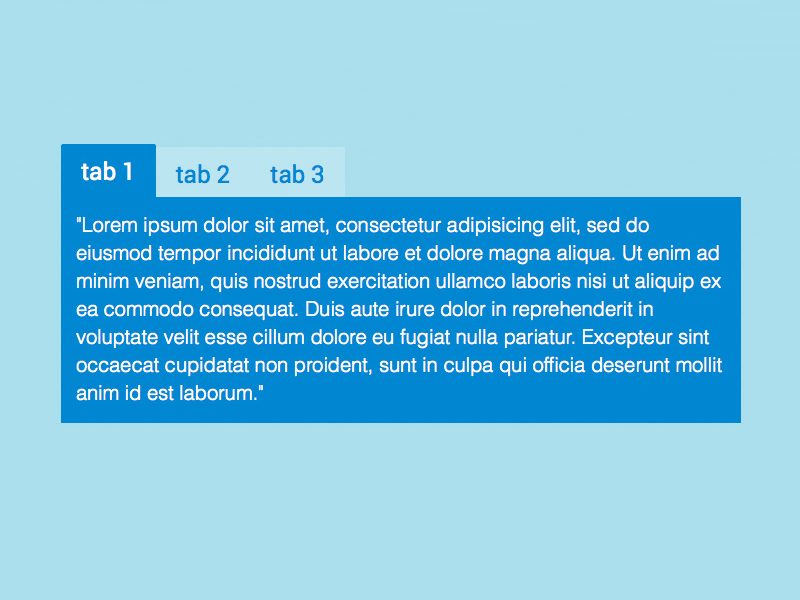
Tab CSS Menu Sederhana
Arsip IlmuWebsite
Suka dengan CSS menu? cobalah membuat CSS menu anda sendiri.
Berikut ada contoh membuat menu CSS sederhana, untuk proses belajar anda bisa memodifikasinya :)
Code nya:
Artikel Terkait

000space.com Hosting Gratis
Sabtu, 10 Oktober 2009 11.19 WIB

000webhost - Hosting gratis PHP SQL
Jumat, 5 Juni 2009 10.52 WIB